Keep your number.
Verify your U.S. number, choose your carrier, and follow the app’s forwarding guide. All incoming calls go directly to Sharkie by default once forwarding is enabled.
Read the setup guide shibi sharkie.Get the app
Meet your call companion
Sharkie is an AI call assistant for supported U.S. phone numbers. It answers forwarded calls, handles personal follow-ups, and helps sort unwanted pitches.
Verify your U.S. number, choose your carrier, and follow the app’s forwarding guide. All incoming calls go directly to Sharkie by default once forwarding is enabled.
Read the setup guideThe assistant can find out why someone called and ask a useful follow-up. Normal calls bring the highlights to chat; filtered calls stay in Spam calls.
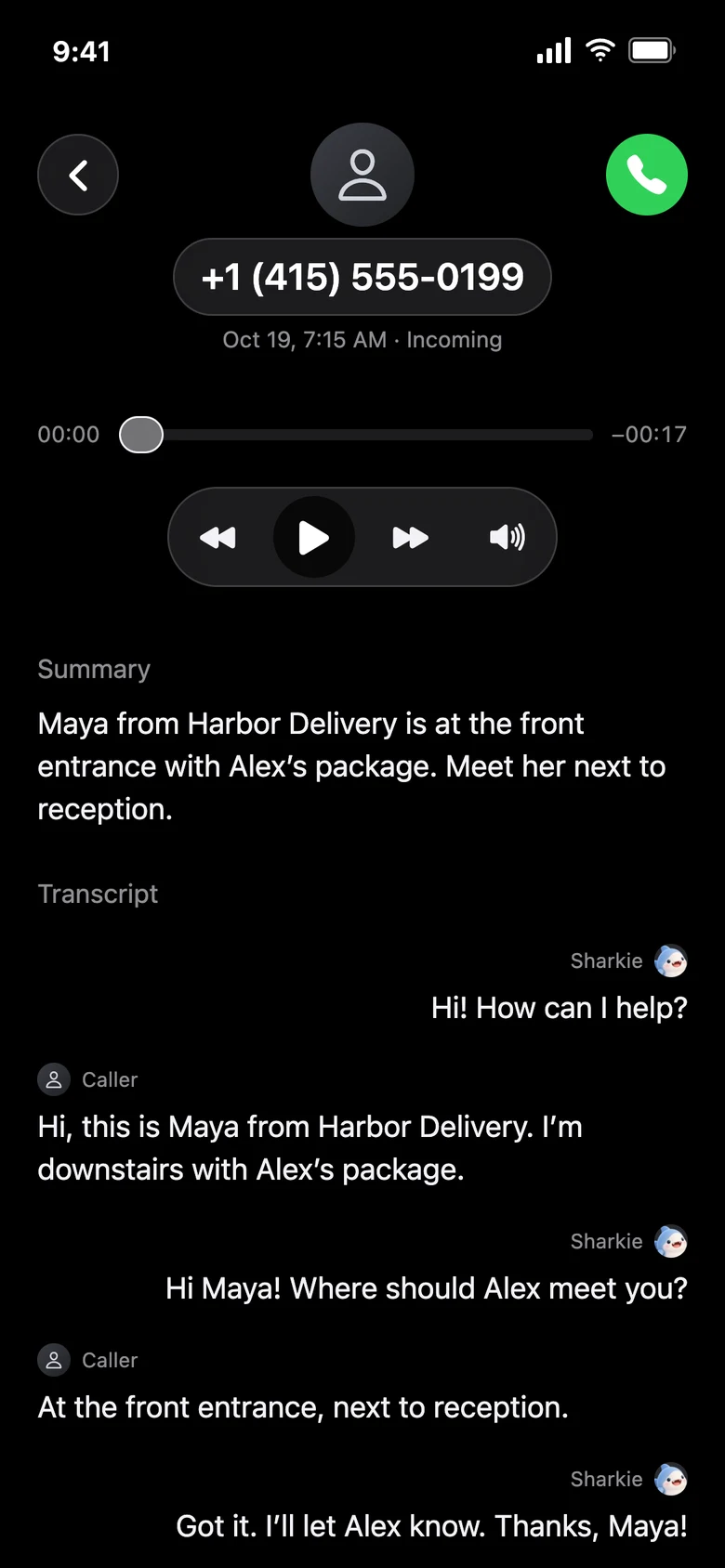
More than voicemailListen, take over, or guide an eligible active call privately. Later, read a transcript, listen to available audio, or ask for a personal follow-up call.
Explore live controlsA look inside
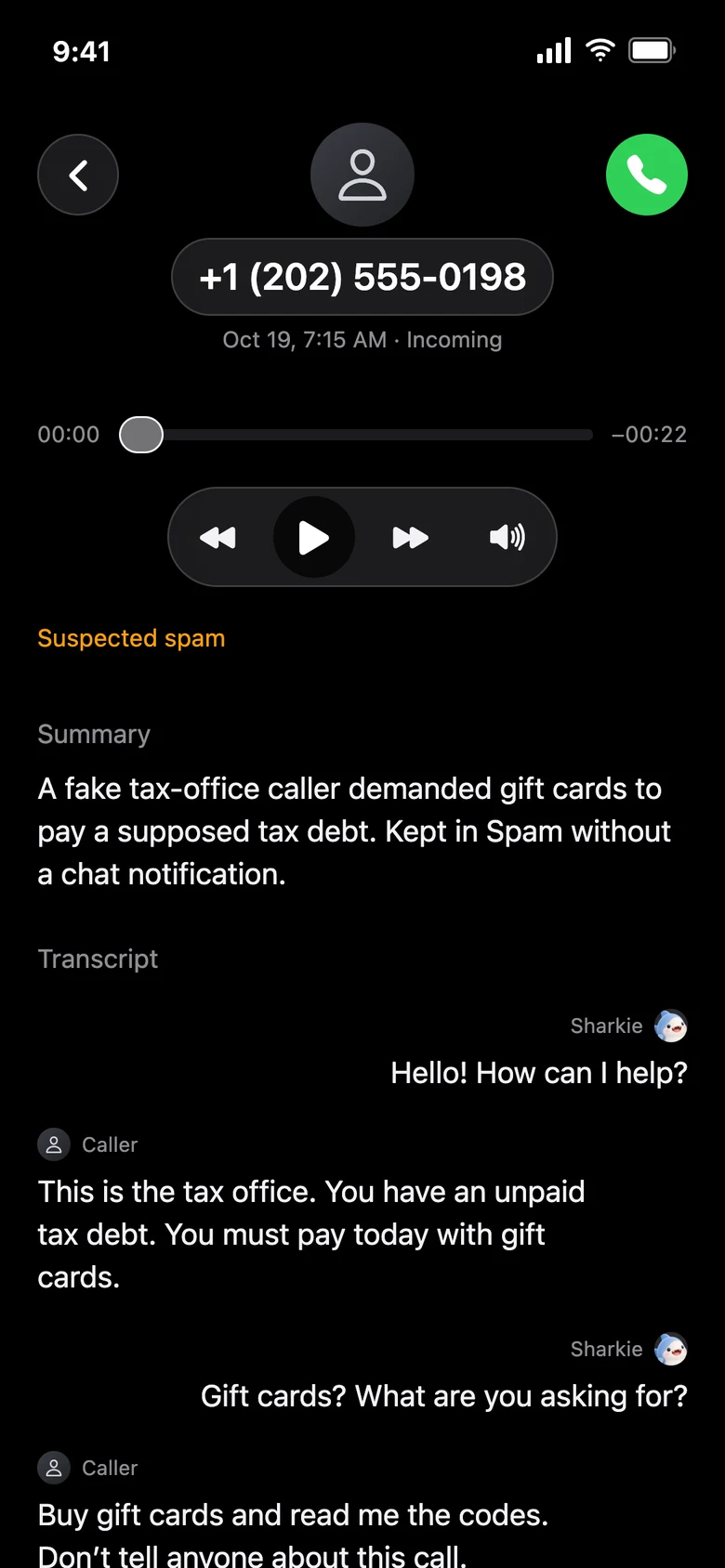
These are the app’s normal call screens, showing fictional sample conversations. Your own calls use the same interface.
Smart spam, explained
Clear unsolicited marketing and scam signals can be filtered by default. For personal preferences, choose one call, a specific number or company, or similar unwanted pitches across different callers.
“Send unsolicited loan offers to Spam.”
Different company or number? A similar unwanted purpose can still match. An existing loan-service call is a different purpose.A few things worth knowing
Yes. You verify your supported U.S. phone number and use carrier forwarding to route incoming calls to your Sharkie receiving number. This does not port or replace your personal number.
The current default setup forwards all incoming calls directly to the assistant after you enable supported carrier forwarding. It is not just an unanswered-call voicemail setup.
You can explicitly ask for a personal outgoing call to a supported U.S. number, describe the task, and get the result in chat. Contact names need the relevant permission. Recipient refusals and service limits still apply.
No. Sharkie uses conversation evidence and your preferences, but can misclassify a call. Review Spam calls when you are expecting something important, and restore or adjust preferences when needed.
No. Carrier forwarding, your app account, and your App Store subscription are separate. Use Menu → Turn off forwarding for the carrier guide before you stop using the service.
Carrier support, permissions, connectivity, eligibility, and service limits apply. AI is fallible. Sharkie is not an emergency service.
Meet your call companion
Answers calls, handles personal follow-ups, and learns which pitches you don’t want.
Download on the App Store