 shibi sharkie
The short answer
Sharkie can filter clear unsolicited marketing and scam calls by default. You can also move just one call to Spam, or teach it to filter similar pitches. Those are different choices.
What happens before you teach it anything?
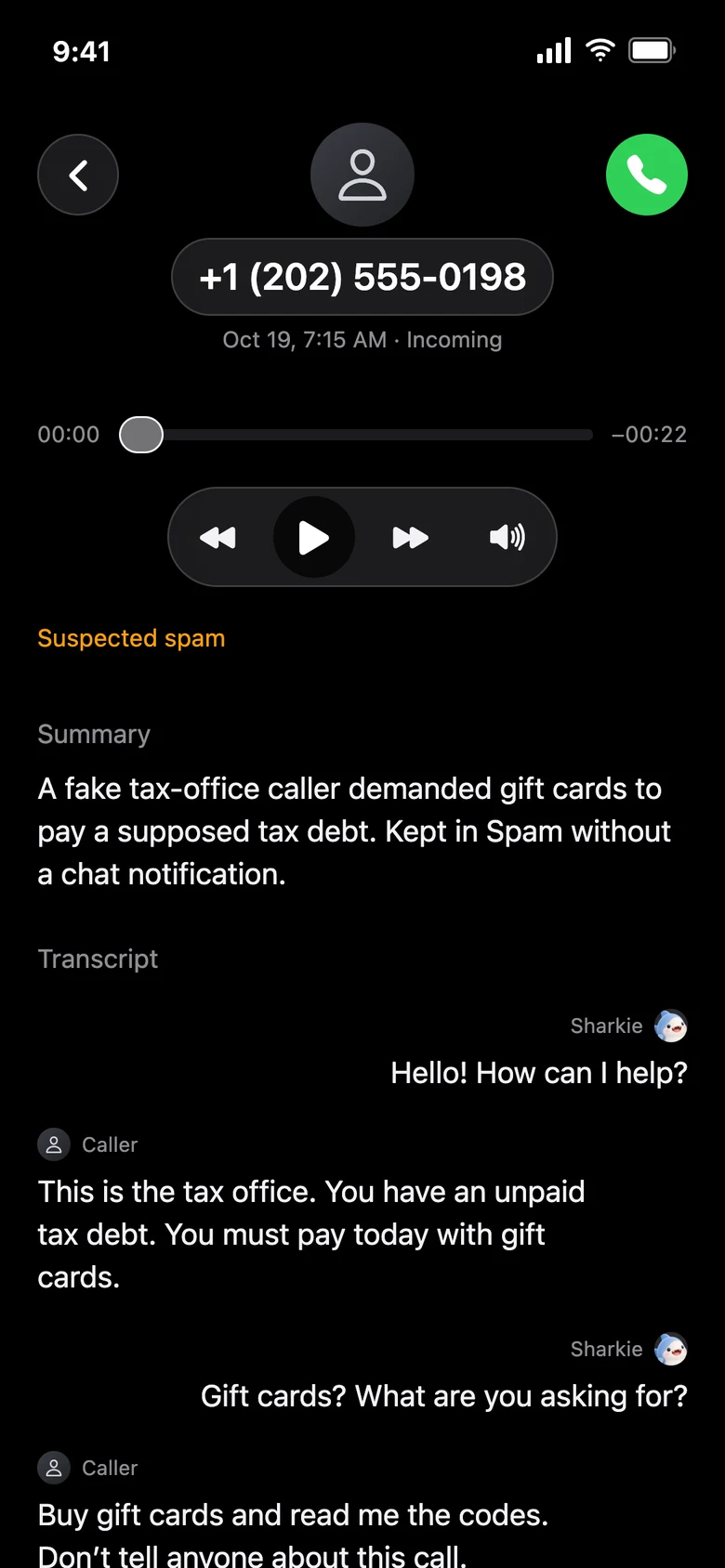
Sharkie uses what the caller actually says to help classify an incoming call. Clear unsolicited sales pitches and strong scam signals can go to Spam calls without you creating a rule first. A matching call stays in Spam rather than producing a normal chat summary.
That is not the same as permanently blocking the phone number. A default decision applies to that call. It also does not mean an unknown number, an accent, a robotic voice, or a quiet caller is proof of a scam.
Context matters: a quote you requested, a message about an existing account, or a school calling about your child is different from an unsolicited sales offer. Caller ID and a caller’s claimed identity can still be spoofed.
One call, or similar calls too?
When you move a normal call to Spam, the app lets you choose the scope:
- Only this call: move this item without teaching a new similar-call preference.
- Filter similar calls too: use a clear unwanted purpose from this conversation to help filter future matches.
For example, a caller offers you a pre-approved business loan you never requested. Choosing similar-call filtering can help catch another unsolicited loan offer from a different company or phone number. Exact wording, amounts, and company names do not have to be identical.
A vague “please call me back” message is not enough to confidently learn a useful sales-pitch preference. More context makes the distinction safer.
“Loan offer” is not “anything about a loan”
A preference in practice
Unwanted: “You’re pre-approved for $50,000 in new business financing.”
A similar pitch: “We can offer your company a working-capital advance.”
Different purpose: “We’re calling about the payment on your existing loan.”
A useful filter follows the unwanted offer, not every conversation containing the word “loan.” An existing lender servicing your account should not be treated as the same purpose as a new cold sales pitch. AI classification is imperfect, so check Spam when you are expecting an important call.
You can ask for a company or number preference in chat
For a more specific preference, tell Sharkie what you mean: “Send sales calls from Example Solar to Spam” or “Send calls from this number to Spam.” A company-based preference and a similar-purpose preference are not interchangeable.
A company preference may match a different number when the caller’s speech identifies that company and fits the requested scope. This is based on the conversation, not verified business identity. A sales-only preference should not silently become “every call from that company.”
You can ask Sharkie to show, change, or remove your saved spam preferences. Be explicit if you want both an old call restored and future filtering changed.
A quieter inbox still needs an undo
Open Calls → Spam calls to review filtered conversations. Use Not spam — move to Calls to bring a call back. Moving one item back and changing a future filtering preference are separate operations; say which you want.
Filtering is meant to reduce interruptions, not erase the evidence or guarantee that every scam is caught. Never send gift cards, verification codes, or account credentials just because a caller claims to be someone official.