 shibi sharkie
The short answer
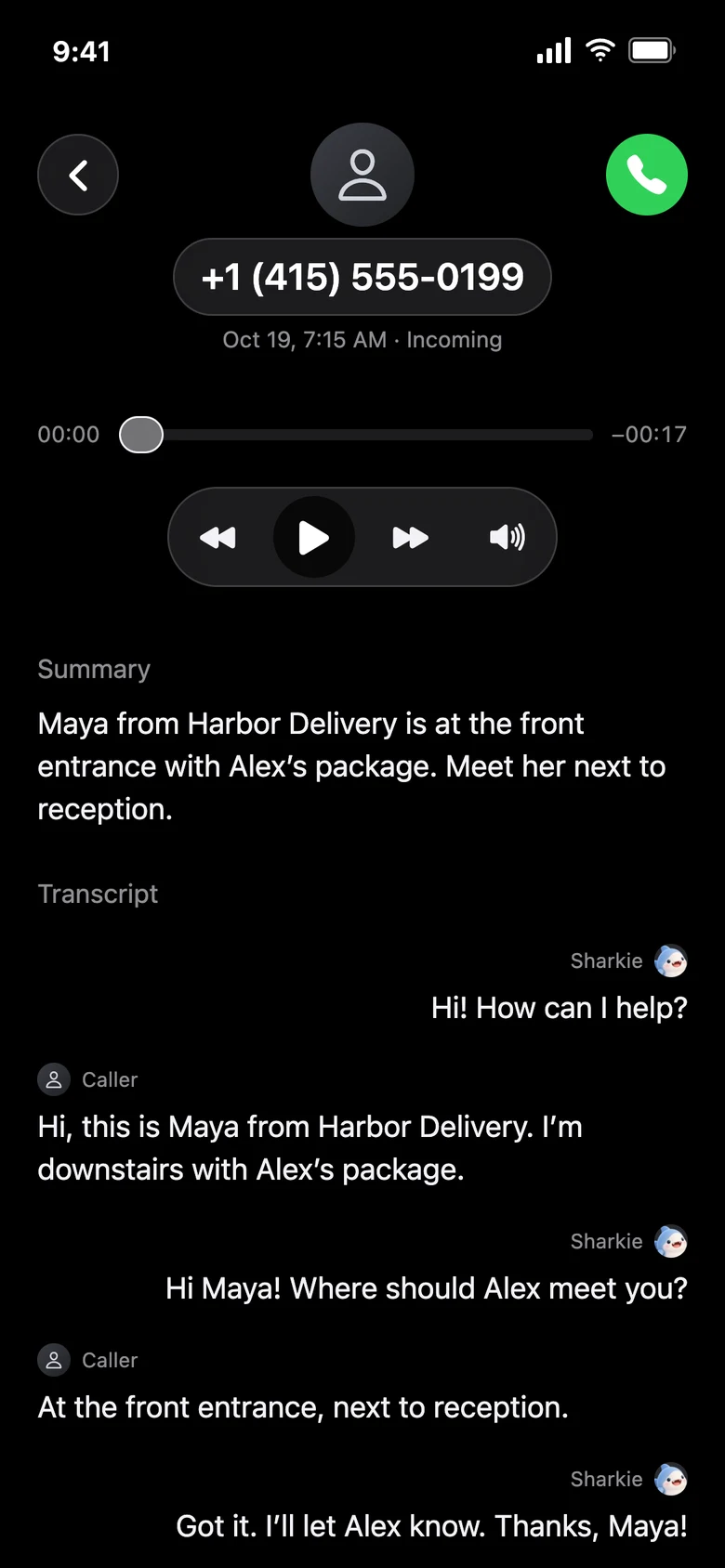
Sharkie combines a conversation with a record you can revisit: a call summary, transcript, and available recording, plus live controls while a supported call is still active.
The difference is the follow-up question
A delivery caller might leave: “I’m outside.” That is a message, but it still leaves you asking where they are and what happens next. An assistant can ask which entrance they are at or take an instruction about where to leave the parcel.
The goal is not to keep the caller talking. It is to collect enough useful information and finish naturally. The assistant can make mistakes or fail to obtain an answer, so it should not be treated as guaranteed task completion.
Three useful distinctions
| What you need | Traditional voicemail | Sharkie |
|---|---|---|
| A message to revisit | A saved voice message | A call summary, transcript, and available recording |
| A missing detail | Usually a callback | The assistant can ask during the call |
| More control now | Usually listen later | Listen live, take over, or guide privately during eligible calls |
Voicemail capabilities vary by carrier and device. This describes the general difference, not a promise that every voicemail product has the same features.
It still depends on your phone setup
Sharkie does not replace your carrier. You verify your supported U.S. number, choose your carrier, and follow the app’s forwarding guide. The default setup forwards all incoming calls directly to the assistant, rather than only unanswered calls.
Keep your own number and use the guided test to confirm that forwarding actually reaches Sharkie. Setup depends on carrier and plan support; forwarding may have carrier charges. Read the iPhone forwarding guide before changing your settings.
A transcript and a recording are not the same thing
A transcript is text generated from speech. A summary is a shorter AI interpretation. A recording lets you hear available audio. A summary can omit nuance, and text can get a name or number wrong. Use the recording when a detail matters and it is available.
Recording is enabled by default for eligible AI-handled calls. The assistant is instructed to include a brief recording notice in its greeting. Availability and retention are limited; see the Privacy Policy for the current handling, not an assumption that every call is saved forever.
Choose for the job, not the label
If all you need is a saved message, your existing voicemail may be enough. If you want a conversation, fewer unwanted sales interruptions, and the option to step into an active call, a call assistant provides a different workflow.
You can also ask Sharkie for a personal outgoing follow-up. A business may still require you to speak directly, verify your identity, or approve an action. An assistant cannot guarantee that every request is accepted.