 shibi sharkie
The short answer
A personal AI receptionist can fit when you want conversations and follow-ups on your existing number. In Sharkie, you keep a supported U.S. number and route calls through carrier forwarding; you are not porting your number to a new phone provider.
First ask whether your existing phone controls are enough
If you only want fewer interruptions, start with your phone and carrier settings. Apple documents controls for screening or silencing unknown callers and managing spam in the Phone app. Check Apple’s current unknown-caller guide for your device and software.
A conversational assistant is a different choice when you want someone to ask a relevant question, keep the answer, or handle a personal callback. You do not need to pay for a broader workflow just to solve a simpler notification problem.
Match the tool to the outcome
| Your goal | A sensible starting point |
|---|---|
| Stop the phone interrupting you | Review built-in phone and carrier call controls |
| Hear a caller’s explanation later | Voicemail or an assistant’s saved conversation |
| Collect a missing detail and act on it | A conversational assistant with follow-up and live controls |
These choices are not interchangeable. For example, learning where a driver is waiting needs a conversation, while simply keeping the phone quiet may not.
Keeping your number does not mean skipping setup
With Shibi Sharkie, people continue calling your existing supported U.S. number. You verify that line and forward it to the receiving number supplied inside the app. The receiving number is part of routing, not a new personal number everyone must save.
The current default sends all incoming calls directly to Sharkie while forwarding is enabled. Carrier compatibility, plan restrictions, and possible carrier charges still matter. A verification code and a successful forwarding check do different jobs; complete both parts of the guided setup.
A personal assistant is not automatically a business phone system
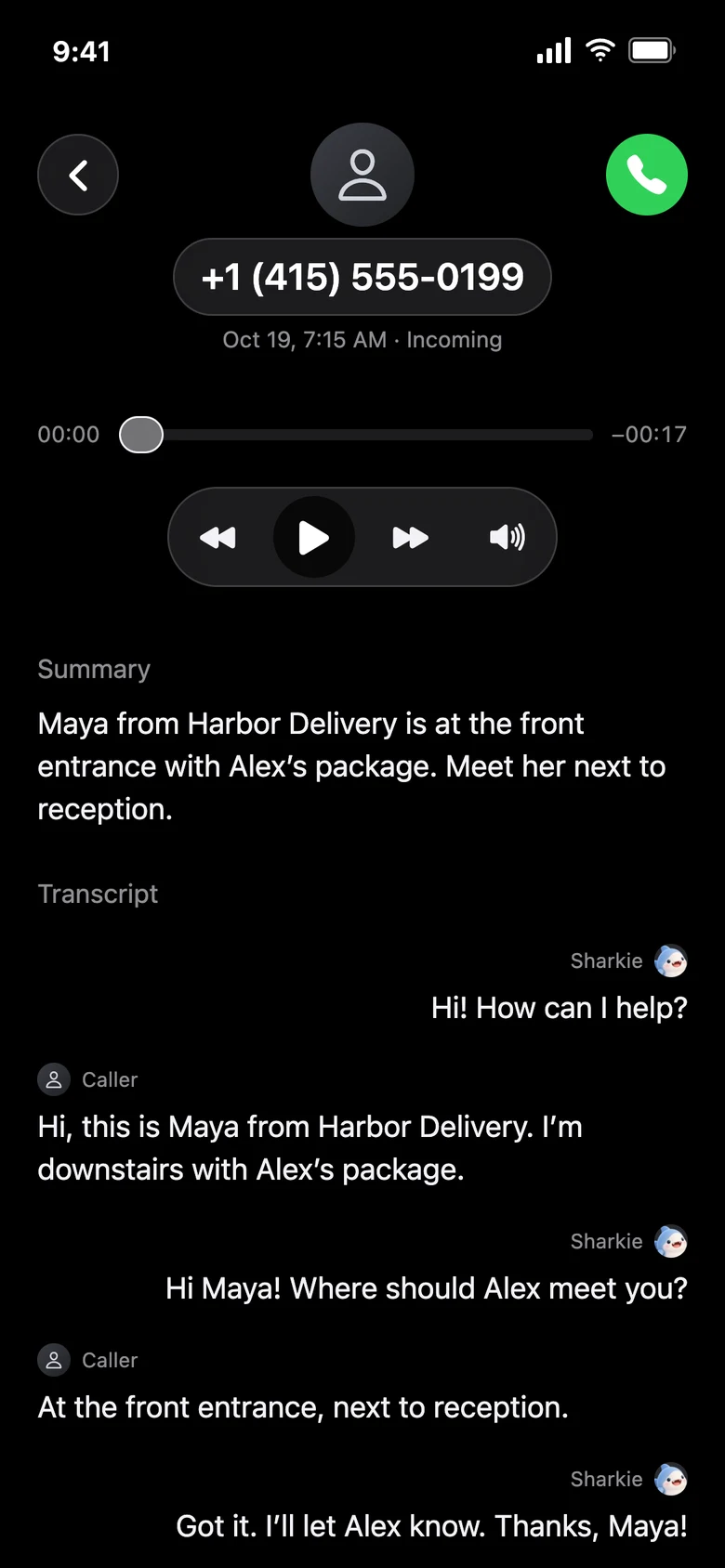
A useful personal example is a repair-shop callback, a delivery message, or a quick question to a store. During an eligible active call, you can listen, take over, or send a private instruction. Afterward, open the summary, transcript, or available recording.
Do not assume this also includes a shared team inbox, an extension tree, arbitrary call transfers, a booking system, or unlimited calls. Those are separate capabilities. Sharkie’s personal outgoing calls currently have request and duration limits; see pricing and service limits before choosing it for a workload.
A five-minute fit check before you commit
- Are the calls mostly routine, or do they need your direct approval?
- Does your carrier support the required forwarding?
- Are you comfortable with calls going to the assistant by default?
- Will you review Spam and verify important details?
- Do you know how to disable forwarding independently of billing?
If those answers fit your needs, explore Sharkie’s workflow. If the need is only to silence unknown callers, the built-in settings may already be the simpler solution.